This post focuses on creating custom Sitecore roles and permissions with separate roles for authors and reviewers in a Multisite instance.
Scenario: Consider an instance with multiple sites (site1, site2, site3 etc..). With multiple sites, we may need to have separate authors and reviewers for each Site.
For example, Site1 may need the roles -> Site1 author, Site1 reviewer. Similarly for Site2 may need -> Site2 author, Site2 reviewer
Steps to create
To implement custom roles and permissions for a multi site instance, we need the following roles to be created.
- Base role for each Site
- Author role
- Review role
- Workflow
Base Role
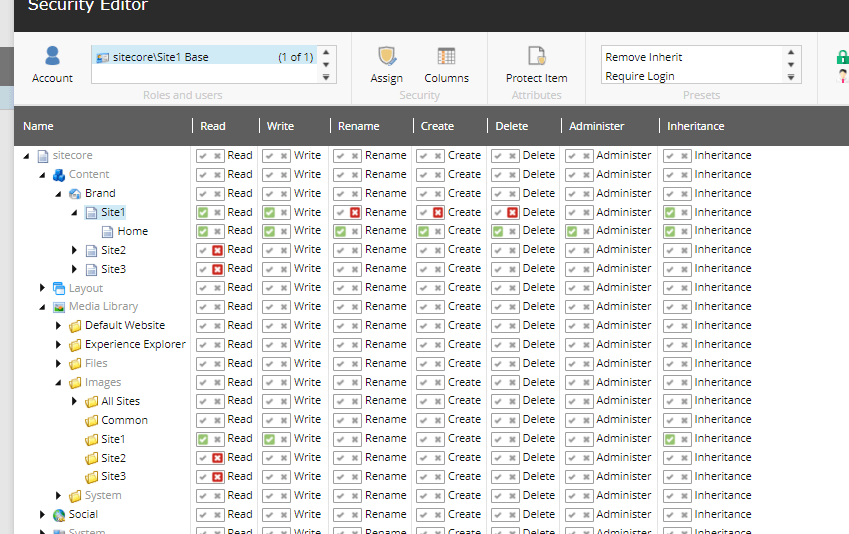
The sole purpose of a base role is to restrict the access to each individual site with required read and write permissions. Consider a site named 'Site1', in the Sitecore. To restrict access of the users to only this site's section, the base role created is 'Site1 Base'. below is how we have granted/denied the read and write permissions.
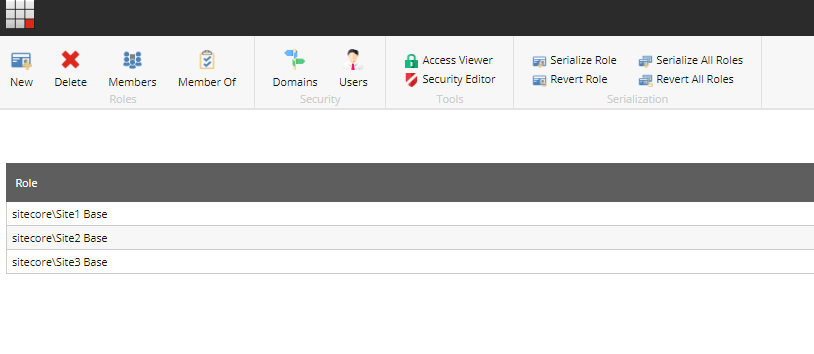
So any user with this role 'Site1 Base' will have access only to Site1 sections. Similarly, we can create different roles for different sites like Site2 Base, Site3 Base.. etc.,
Workflow role###
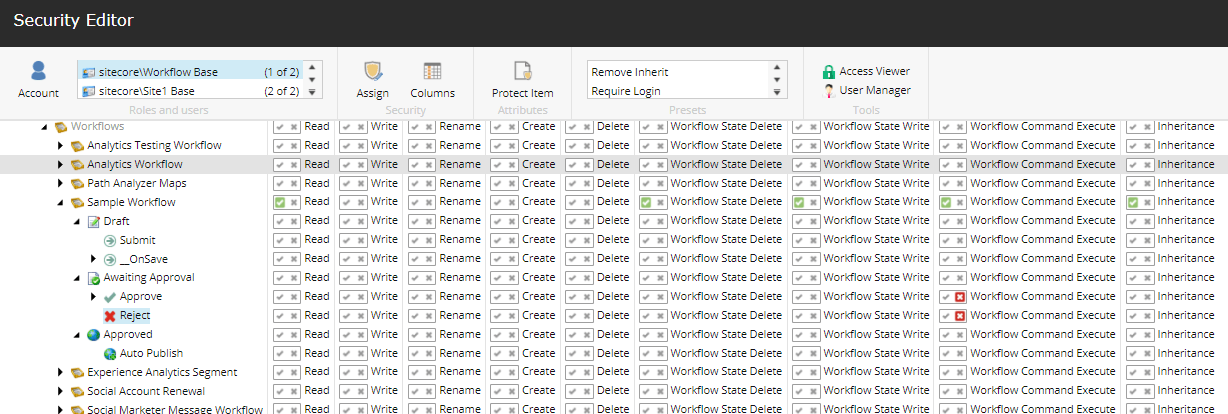
Assuming that a Workflow is used, we are having the permissions set for the workflow too. This role is to add workflow related restrictions to users based on the workflow steps.
For example, the content author might not need access to publish content to live, instead Content reviewer should be able to review and also publish content to Live. In such cases we will have the workflow restrictions added to the Content Author role.
Lets consider a sample workflow for our example.
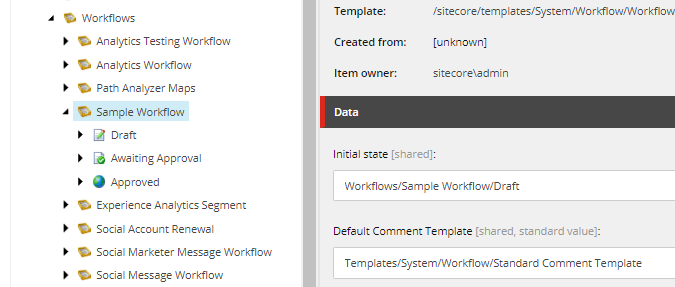
We shall create a role 'Workflow Base' and assign the permission as shown below. So any user/role with 'Workflow base' role, will not have access to approve content and hence cannot publish the content.
Author role
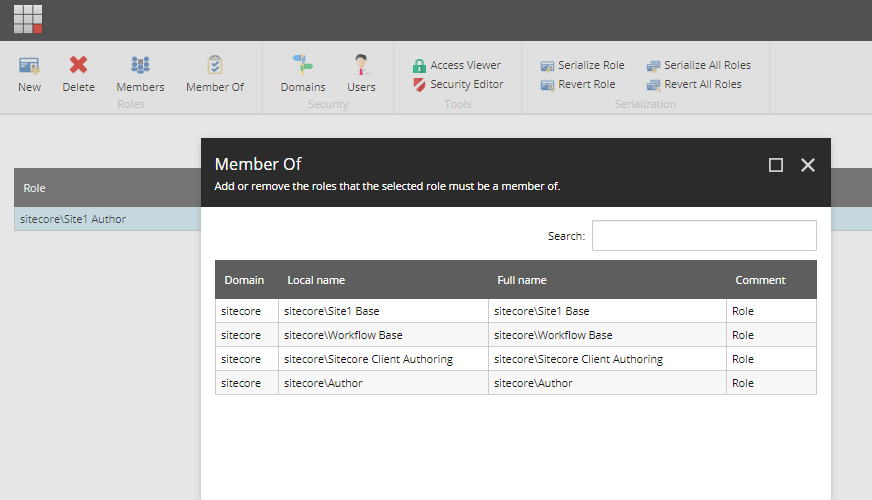
As the authors are specific to each site in the Sitecore, we shall create separate role for each site. Considering our example, we shall create a author role for Site1 as 'Site1 Author'. Create the new role 'Site1 Author' and add sub roles as shown below.
Here we have added the
- Site1 Base -> this would restrict access to sections of Site1 only.
- Workflow Base -> this would add workflow and publish restrictions.
- Author, Sitecore client Authoring -> Basic Sitecore roles required for a content author.
Reviewer role
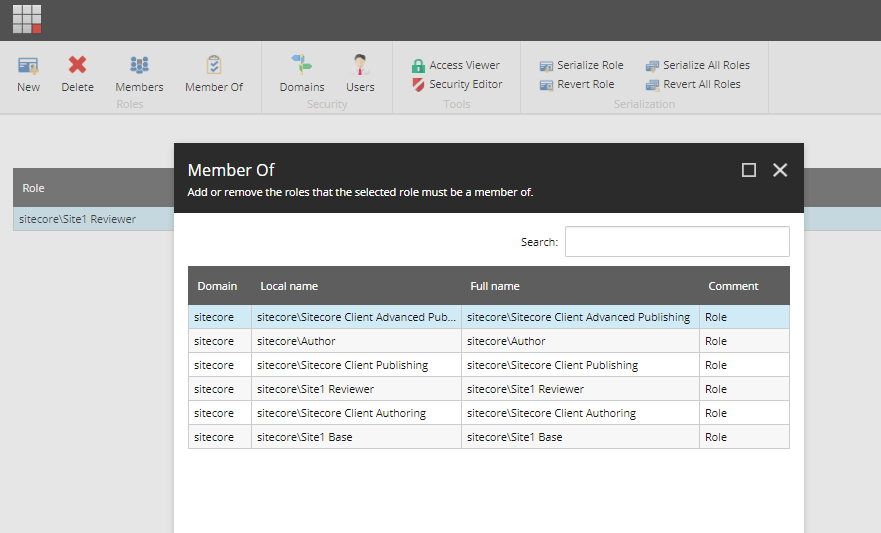
Reviewer is the one who can review/approve content and publish it. So they would need the access of an author + publishing rights and this role should be specific to each site. So create a reviewer role for Site1 as 'Site1 Reviewer' and assign sub roles as below.
- Site1 Base
- Author, Sitecore Client athoring
- Sitecore Client publishing, Sitecore Client advanced publishing -> added these to have publishing rights
Note: There is no Workflow base role added to reviewer as these users should not be restricted with workflow and should have the complete publish access.
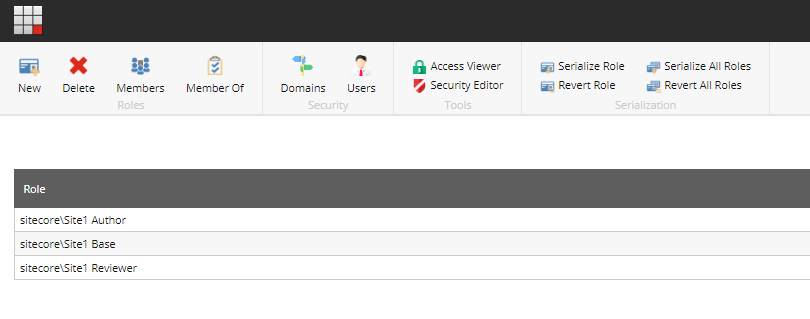
Now for each site, we will have 3 roles - Base role, Author role & Reviewer role. Below are all the roles created for Site1. The Workflow base role can be shared across the instance if all the Sites use the same Workflow.
Similarly for another Site say 'Site2', below are the roles we would create.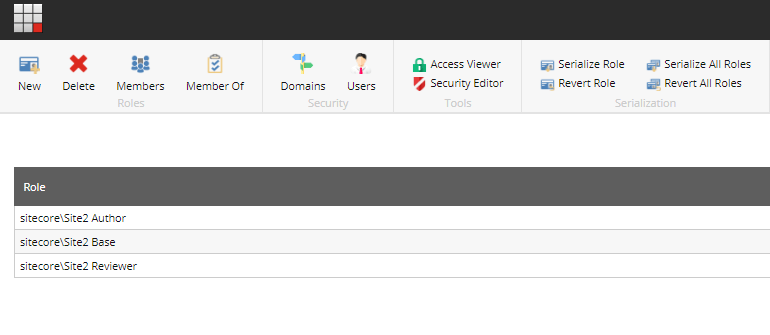
For any common permissions or roles to be assigned, across all roles/users the best place to be added is the base role. Instead of adding for each user or each role, if we add them to the base roles, they would be inherited automatically
Multi language roles
Till now we haven't considered the language restriction on content authors. For multi site and multi language sites, there may be a case that content authors may need access only to specific languages/regions.
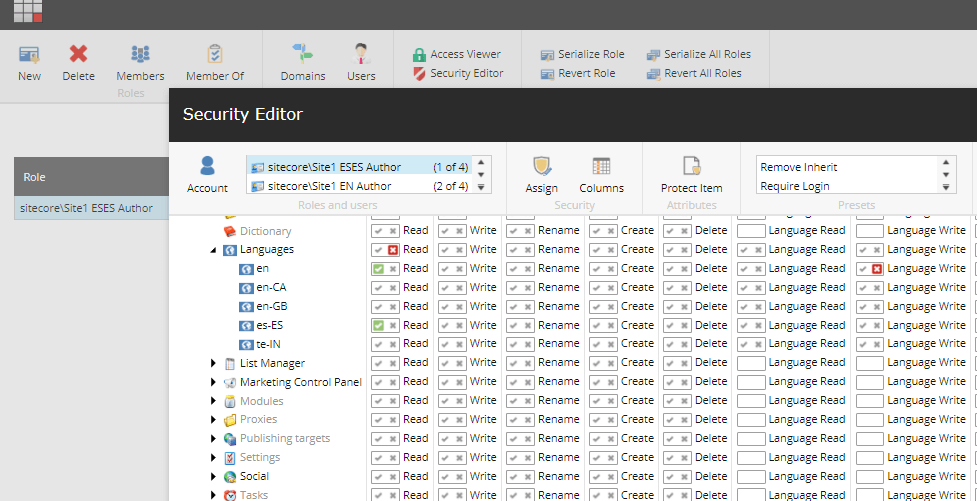
For example, in Site1 there could be 2 languages (EN & es-ES). If we need separate content author roles for each language, then we might need to create separate roles like 'Site1 EN Author', 'Site1 ESES Author'.
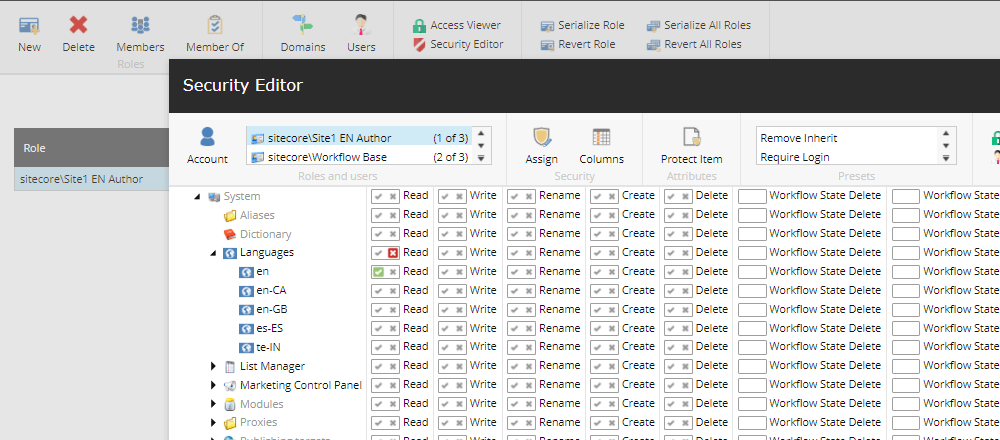
Below is how we differentiate based on the access to languages. Note: For non EN language authors, they might need the read only access to EN. So granted the read access to EN language but denied LanguageWrite access.
Site1 EN Author permissions
Site1 ESES Author permissions
Hope this helps!! Please share do your thoughts.
