Monday, March 7, 2022

Steps to update Sitecore SSL certificates (Sitecore XP 9.3)

 It's a general requirement to update the security certificates for the website.

It's more enjoyable when we work on the Sitecore, consider multiple endpoints like CMS, xConnect, Identity servers and XC Roles. I again got a requirement to update the certificates and wanted to share this with the community so everyone can quickly do this without any issue or hurdles.

So let's get started the journey to update the certificate :) 

Steps  1 - Open the mmc.exe


 Àdd certification--> computer account


Install your certificate and you will see your certificate here-


Copy the thumbprint of the installed certificate 


Copy the thumbprint of the installed certificate and keep in a file.

Now, got to certificate and add all application pools identifier.


Make sure you enter the name in   IIS AppPool\App Pool identifier name format otherwise you wouldn't get the identifier.


Now, Search for the existing thumbprint on the site, You will find in below files.

  1. Identityserver\Config\production\Sitecore.IdentityServer.Host.xml
  2. CMsite\App_Config\ConnectionStrings.config
  3. xconnect\App_Config\AppSettings.config
  4. xconnect\App_Data\jobs\continuous\ProcessingEngine\App_Config\ConnectionStrings.config
  5. xconnect\App_Data\jobs\continuous\AutomationEngine\App_Config\ConnectionStrings.config

After replacing the file, got to IIS site and choose the correct certificate and restart the IIS.

that's it, It's very straightforward.

Troubleshooting - 

1. I got this error after updating the SSL certificate.

Fix - I missed to include the identifier role in the certificate, After including that role this issue got resolved,

Sunday, January 9, 2022

Enable Basic Authentication in Sitecore 10 & IIS 10


Steps:

1. Install Authentication in IIS
2. Create a new account for basic login
3. Update configs in Sitecore 10.x
+) Web.config
add key="owin:AutomaticAppStartup" value="false"

+)Disable identity server in Sitecore 10
Sitecore.Owin.Authentication.Disabler.config.example
Sitecore.Owin.Authentication.IdentityServer.Disabler.config.example

Wednesday, December 22, 2021

Sitecore PowerShell script to remove all language versions except one

This post provides Sitecore PowerShell script to remove all lang versions except one for items under a Sitecore node recursively.

Here in my example, removes all language versions except for English language.

In some cases you may want to remove versions of an item or an entire node in all languages except one or few languages. In that case it is difficult to remove them manually. Instead if we can use a PowerShell script in Sitecore, it would make our job very easy.

Is this not the script you are looking for? Then check the complete list of Sitecore Powershell scripts

Steps:

  1. Retrieve all the child items recursively. Include the root item too.
  2. For each item, get all the versions in all languages.
  3. Check if the language version retrieved is the one you want to remove.If so, use the Remove-ItemVersion to remove that particular version.

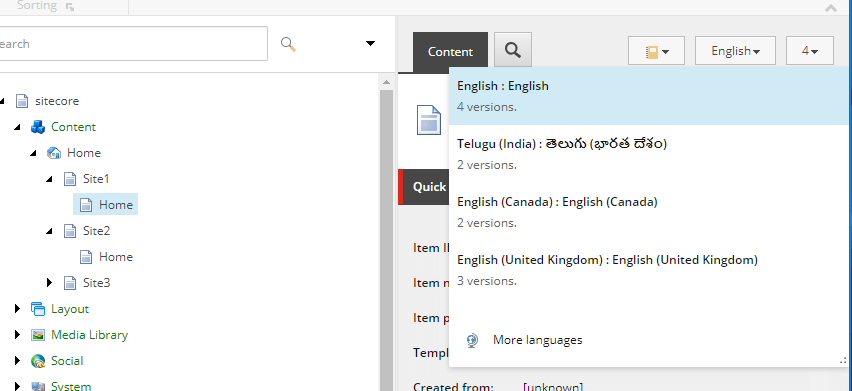
With versions

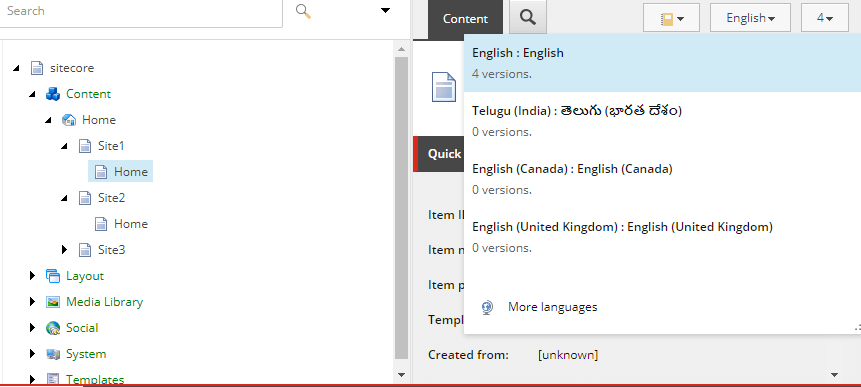
Versions deleted

Sitecore PowerShell script

$props = @{
   InfoTitle = "Remove Versions"
    PageSize = 10000000
}

$sourcePath =  "master:/sitecore/content/Home/Site1"

function Remove-Versions {

    $items = Get-ChildItem -Path $sourcePath -Recurse
    $rootItem = Get-Item -Path $sourcePath
    $items = $items + $rootItem

    foreach ($item in $items)
    {
        foreach ($version in $item.Versions.GetVersions($true))
        {
            if ($version.Language -ne "en")
            {
                Remove-ItemVersion $version
                Write-Host $version.ID " - " $version.Language "- deleted"
                $version;
            }
        }   
    }

}

$items = Remove-Versions
$items | Show-ListView @props -Property ItemPath, ID, @{Label="Language"; Expression={$_."Language"}} 
Close-Window

Wednesday, November 17, 2021

Sitecore Powershell script to unpublish items

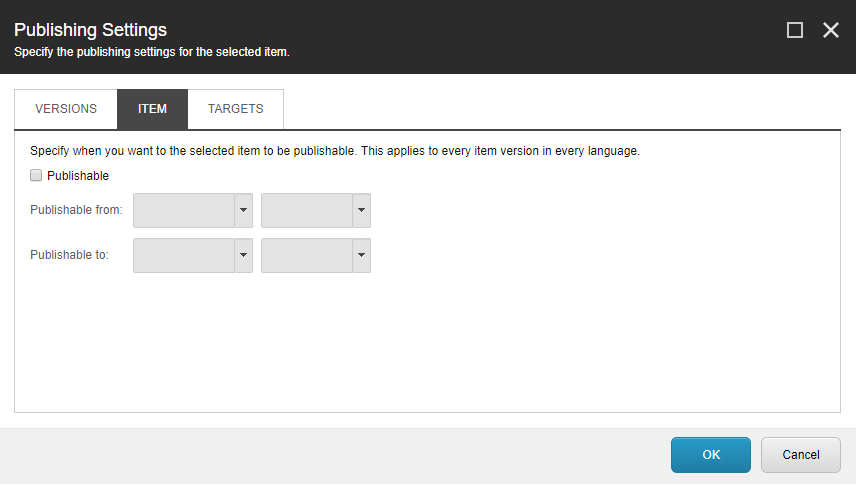
If you want to delete or unpublish all items under a root item using PowerShell script then this is the post you are looking for. This script disables the 'publishable' option of an item in Sitecore.

Is this not the script you are looking for? Then check this complete list of Sitecore Powershell scripts

Unpublishing an item

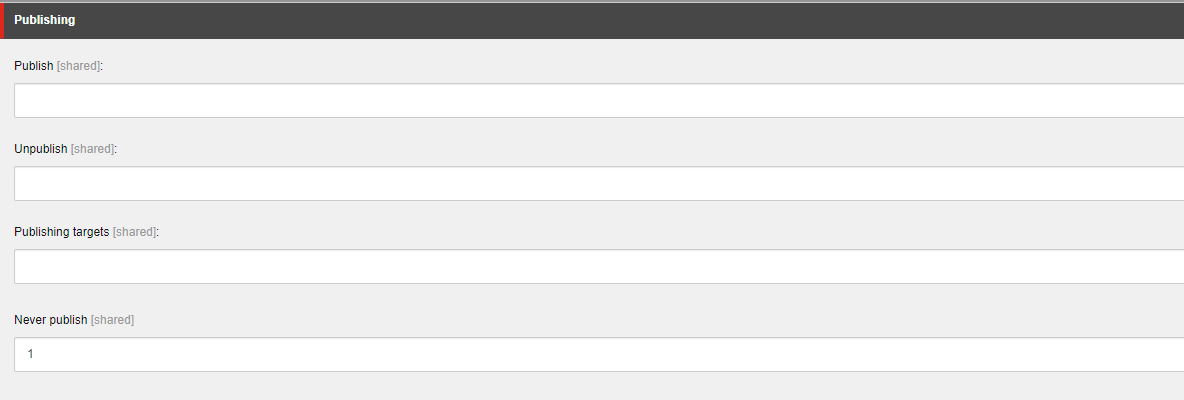
Every item has publishable option. Upon disabling and publishing to web, the item will be removed from web database. If there are multiple items which are need to be deleted, doing it manually will never be a good option. Here is the script which disables the publishing option. The publishable option is disabled by setting the value in the field Never Publish under the section Publishing. This can be viewed by checking the field raw values mode.

Image Text

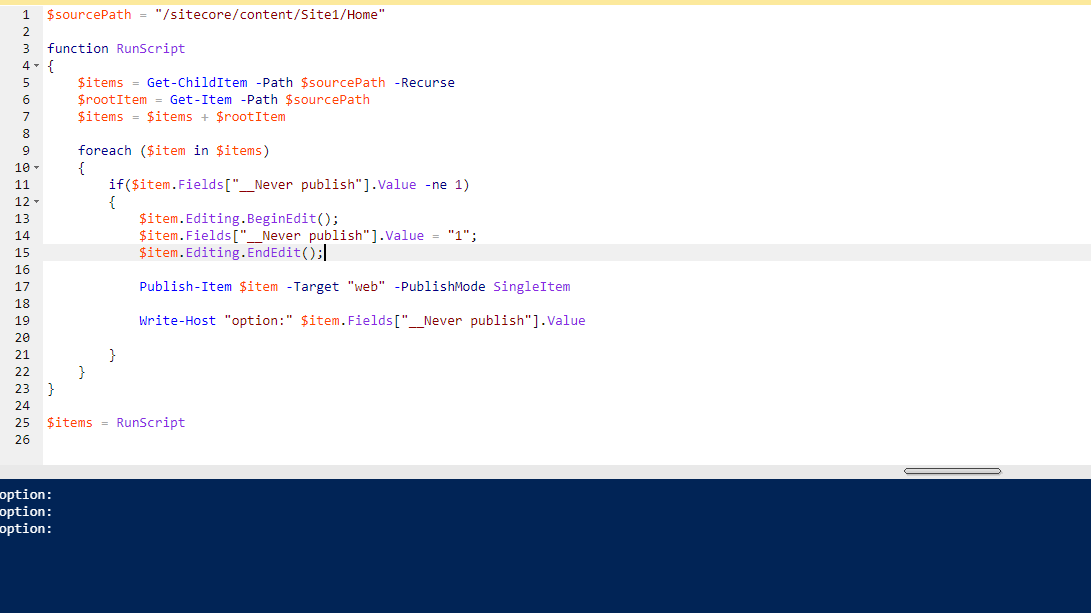
Here, setting the $item.Fields["__Never publish"].Value to 1 disables the publishable option.

Image Text

Sitecore Powershell script to unpublish items by setting off 'publishable' option

$sourcePath = "/sitecore/content/Site1/Home"
function RunScript
{
    $items = Get-ChildItem -Path $sourcePath -Recurse
    $rootItem = Get-Item -Path $sourcePath
    $items = $items + $rootItem

    foreach ($item in $items)
    {
        if($item.Fields["__Never publish"].Value -ne 1)
        {
            $item.Editing.BeginEdit();
            $item.Fields["__Never publish"].Value = "1";
            $item.Editing.EndEdit();
        
            Publish-Item $item -Target "web" -PublishMode SingleItem 

            Write-Host "option:" $item.Fields["__Never publish"].Value
        
        }
    }
}

$items = RunScript

Image Text